How it works
1
A customer writes
On your website chat, email, WhatsApp, Messenger or Instagram.
2
Tajeran reads it
It understands the request and picks the workflow that fits.
3
The workflow runs
It looks up the Shopify order, reads your policies and writes the reply.
4
Reply or hand over
Simple questions are answered. Money and order changes go to your team.
Nothing changes without you
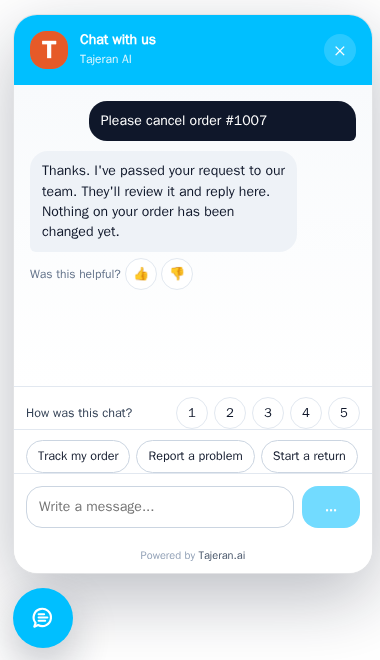
Refunds, cancellations and order changes always wait for a person on your team to approve them.
Answers from your store only
Order details come from Shopify. Policies come from your own articles. Tajeran does not guess.
Customer data stays protected
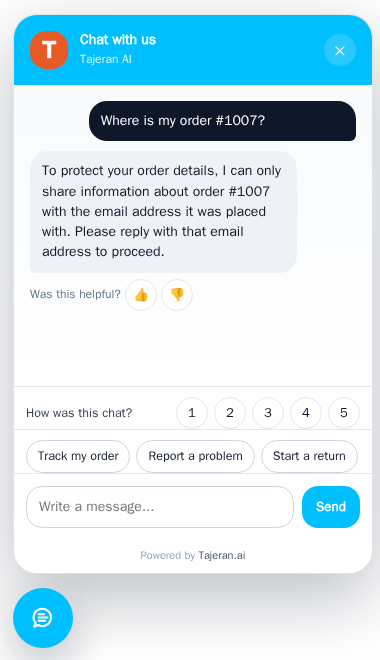
Before sharing order details, Tajeran asks for the email on the order. It never remembers card numbers or health details.
Your team is always one step away
When a customer asks for a person, is upset, or Tajeran is unsure, the conversation goes to your team with a note.
Get started in six steps
Do these once. Most stores finish in under an hour, and nothing goes to customers until you turn it on.
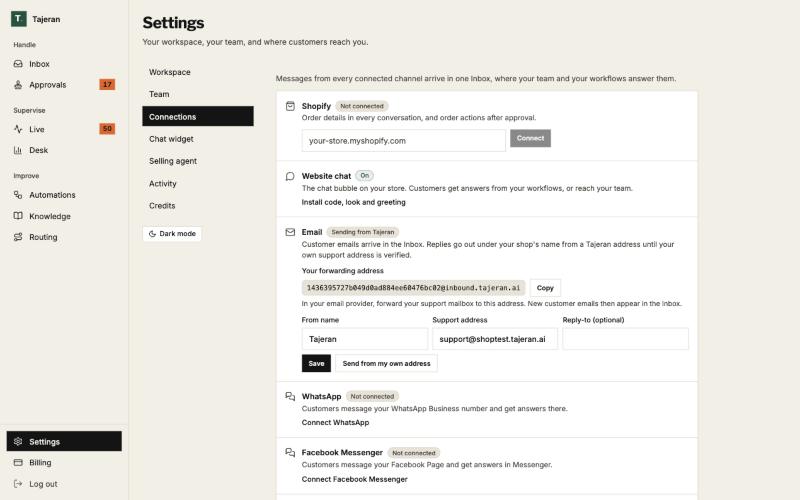
1. Connect your channels
Every channel you connect sends its messages to one Inbox.
- Shopify: type your store address and click Connect, so Tajeran can see orders, customers and products.
- Email: copy your forwarding address and forward your support mailbox to it. Replies go out under your shop's name.
- Website chat is on from the start. WhatsApp, Messenger and Instagram connect with one click each.
2. Add the chat to your store
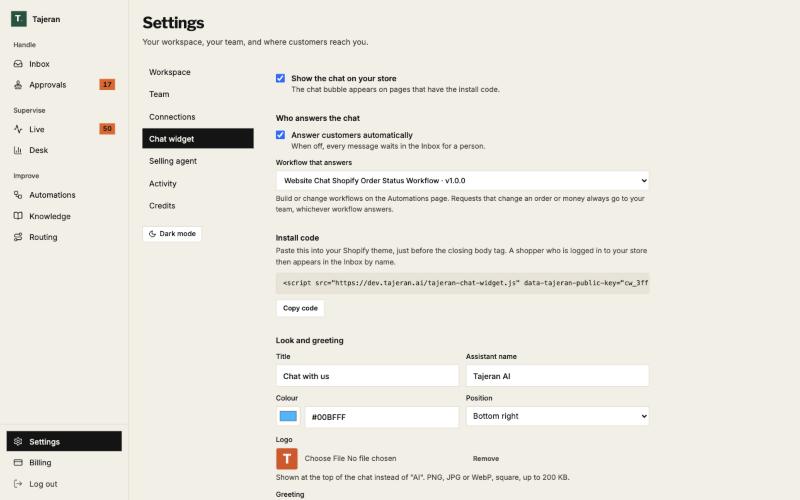
Turn the chat on, choose the workflow that answers, and copy one line of code into your Shopify theme.
- Tick Show the chat on your store and Answer customers automatically.
- Click Copy code and paste it just before the closing body tag of your theme.
- Set the title, assistant name, colour, position, logo and greeting.
A shopper who is logged in to your store appears in the Inbox with their real name.
3. Teach Tajeran your store
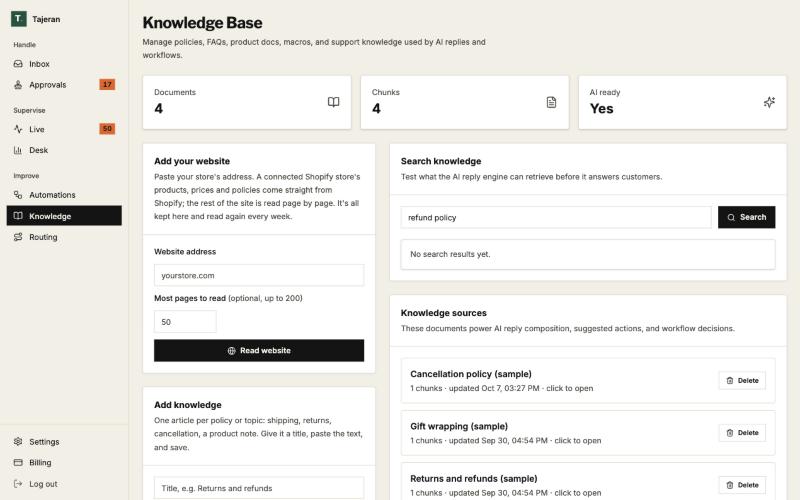
Tajeran answers from your own information. Products and prices come straight from Shopify.
- Paste your website address and click Read website. Tajeran reads it again every week.
- Add one article per topic: shipping, returns, cancellations, sizing.
- Search a question like “refund policy” to see what Tajeran will find before it answers.
4. Turn on workflows
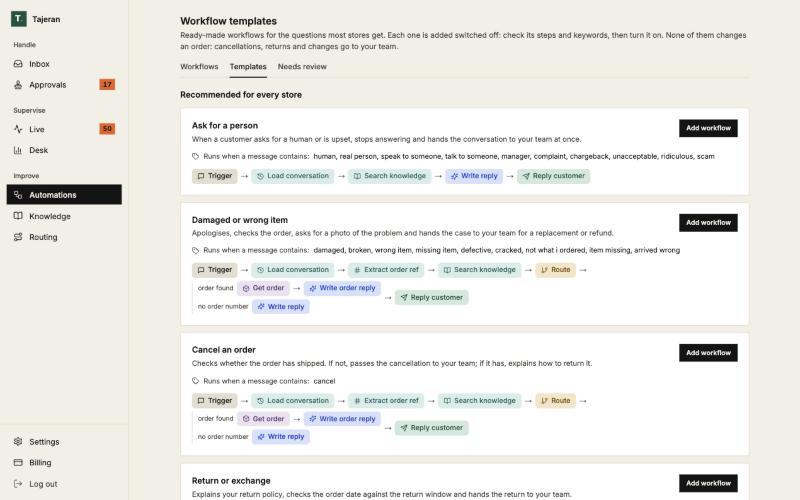
A workflow is the list of steps Tajeran follows for one kind of message. Start from a ready-made one.
- Open Templates and click Add workflow. It is added switched off so you can check it first.
- Turn it on from the Workflows tab.
- To change one, describe the change in your own words. Tajeran drafts the new steps, you test, then publish.
Templates include Ask for a person, Damaged or wrong item, Cancel an order, Return or exchange and Order status.
5. Choose who gets what
Send each topic to the right person, and choose where everything else goes.
All order-status conversations go to Sara. Everything else stays unassigned until someone picks it up.
6. Invite your team
Invite teammates by email and give each a role. Each person can get an email when work is waiting for them.
- Agent: reads the Inbox, replies, assigns and resolves, looks up orders.
- Manager: also workflows, routing, macros and Desk reports.
- Admin: also settings, connections, billing and the team.
Your team, every day
Four screens cover the daily work: Inbox, Approvals, Live and Desk.
Inbox: every conversation in one place
Chat, email and social messages side by side, with the customer's Shopify details next to the conversation.
- Filter by Mine, Unassigned, Snoozed or Spam, sort by priority, and search by customer.
- See what Tajeran understood and which workflow ran, with the evidence behind it.
- Reply, or write an internal note only your team sees. Use a saved macro, Rewrite, or Draft with Tajeran.
- Translate a conversation into your language with one click.
- Assign, tag, snooze, resolve and reopen. Nothing is ever deleted from the history.
When Tajeran hands over
Tajeran leaves an internal note so your team can continue at once: why it handed over, what the customer wants, the order, and that nothing has been changed.
Approvals: yes or no to refunds and changes
Each request shows the order and exactly what will change. Approve it and the workflow does it in Shopify, or reject it and the customer is told.
Live: what needs attention now
Updated every 30 seconds: conversations waiting for a person, requests waiting for approval, and anything past its reply target.
Desk: how support is doing
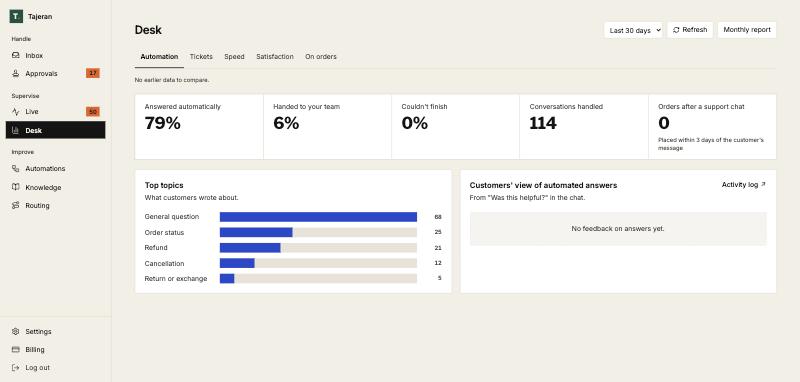
Answered automatically, handed to your team, reply and resolve times, customer ratings, top topics, refunds made and sales after a chat. Compare with the period before, or open the monthly report.
What your customers get
Fast, correct answers at any hour, in their own language, with a person available when they need one.
Order status and tracking
Real order and tracking details from Shopify, after checking the email on the order.
Answers to policy questions
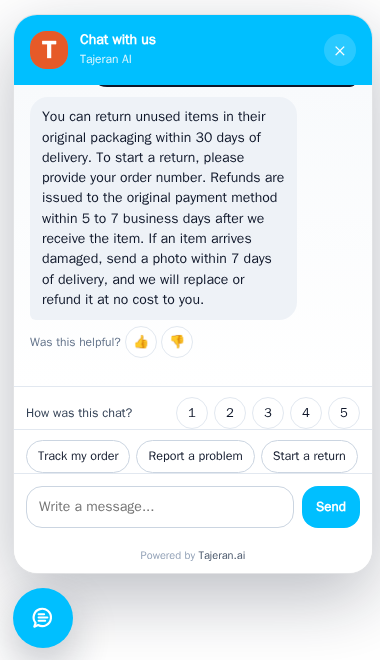
Returns, shipping, sizing and anything else in your articles.
Replies in their language
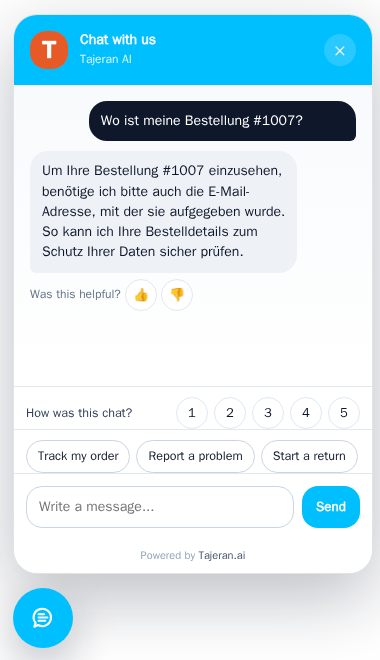
Customers write in any language and get the answer in that language.
A memory for preferences
If a customer says “always reply in French”, Tajeran remembers it next time. Your team sees it in the Inbox.
Shopping help before they buy
The selling agent finds products and answers size, material, price and stock questions with product cards and an Add to cart button. Every price and stock level comes live from Shopify.
A person when they ask
Asking for a human, or being upset, sends the chat to your team straight away.
Quick buttons and ratings
Track my order, Report a problem and Start a return buttons, a thumbs up or down on each answer, and a 1 to 5 rating per chat.
Plans and billing
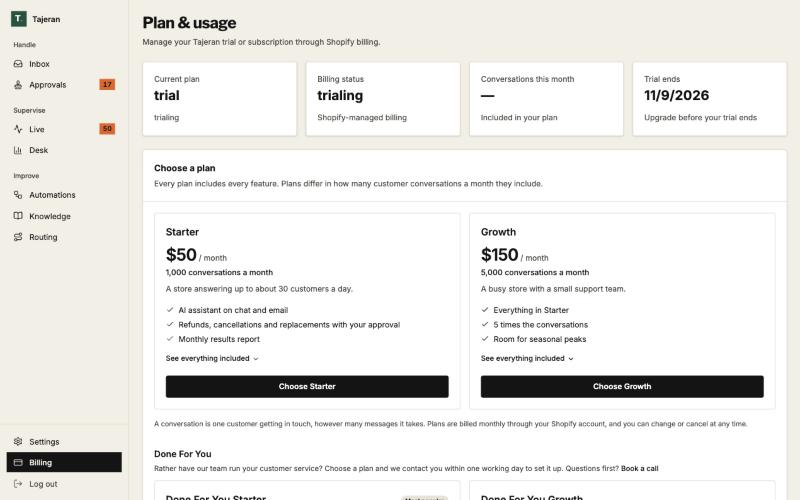
Every plan has every feature. Plans differ only in how many conversations a month they include.
Simple monthly plans
Starter is $50 a month for 1,000 conversations. Growth is $150 a month for 5,000. Done For You means our team answers what the agents hand over, for you.
- A conversation is one customer getting in touch, however many messages it takes.
- Every plan starts with a free trial and is billed through your Shopify account.
- Change or cancel at any time. We email you at 80% and 100% of your conversations.
Questions
- Will Tajeran give a refund on its own?
- No. Refunds, cancellations and order changes are prepared by Tajeran and wait in Approvals until someone on your team says yes.
- What happens when Tajeran doesn't know the answer?
- It hands the conversation to your team with a note explaining what the customer wants. It does not make up an answer.
- Do I need a developer?
- No. You paste one line of code into your Shopify theme for the chat. Everything else is done in the app.
- Which languages does it speak?
- Customers can write in any common language and get the reply in that language. Your team can translate any conversation with one click.
- Can I turn the automatic answers off?
- Yes. Untick Answer customers automatically and every message waits in the Inbox for your team.
- Is my customers' data safe?
- Each store's data is kept apart from every other store. Tajeran checks the order email before sharing order details and does not store sensitive details such as card numbers.
Ready to try it on your store?